Author: Solo Marketing Team

  • Using Pinterest to Drive Traffic to Your Blog

    Using Pinterest to Drive Traffic to Your Blog

    Welcome to the world of WordPress marketing! As a solo founder or blogger, driving traffic to your blog is crucial for increasing your visibility and reaching a wider audience. One powerful platform that often gets overlooked in blog marketing strategies is Pinterest. In this post, we’ll explore how you can effectively use Pinterest to drive traffic to your WordPress blog.

    Understanding the Power of Pinterest

    Pinterest is not just a platform for finding DIY ideas or recipes; it’s a visual search engine that can drive significant traffic to your blog. With over 400 million monthly active users, Pinterest offers a unique opportunity to showcase your blog content through visually appealing pins.

    Creating Pinterest-Friendly Content

    When it comes to using Pinterest to drive traffic, creating visually engaging content is key. Make sure your blog posts have high-quality images that are relevant to your content. Create vertical pins with catchy titles and descriptions that entice users to click through to your blog.

    Optimizing Your Pinterest Profile

    Your Pinterest profile is your digital storefront, so make sure it’s optimized for maximum visibility. Use keywords related to your blog niche in your profile description and board titles. Organize your boards strategically, with a mix of your own content and curated pins that align with your brand.

    Joining Pinterest Group Boards

    One effective way to expand your reach on Pinterest is by joining group boards. These boards allow multiple contributors to share their content, exposing it to a larger audience. Look for group boards in your niche and follow their guidelines for joining and sharing your pins.

    Utilizing Pinterest Analytics

    Tracking your Pinterest performance is essential to understand what content resonates with your audience. Use Pinterest Analytics to monitor the performance of your pins, identify popular content, and optimize your strategy based on data-driven insights.

    Driving Traffic to Your Blog

    Now that you’ve optimized your Pinterest strategy, it’s time to drive traffic to your WordPress blog. Make sure each pin links back to a relevant blog post or landing page on your website. Use compelling call-to-action descriptions on your pins to encourage users to click through and explore your content.

    Engaging with Your Pinterest Audience

    Building a community on Pinterest involves more than just sharing your own content. Engage with other users by repinning, liking, and commenting on their pins. By being an active member of the Pinterest community, you can attract more followers and drive traffic back to your blog.

    Conclusion

    Using Pinterest to drive traffic to your WordPress blog is a valuable marketing strategy for solo founders and bloggers. By creating visually appealing content, optimizing your profile, and engaging with the Pinterest community, you can increase visibility and attract more visitors to your blog.

    Ready to supercharge your blog traffic with Pinterest? Take action today and start implementing these tactics to see real results!

    For more tips on marketing your blog effectively, check out Solomarketing.app.

    Photo by Dima Solomin on Unsplash

  • Creating and Selling Your Own Digital Products

    Creating and Selling Your Own Digital Products

    Welcome to another WordPress marketing tips post, tailored especially for solo founders and bloggers looking to enhance their digital presence. In this guide, we will delve into the rewarding realm of creating and selling your own digital products. Specifically, we will explore the steps to develop and market digital products like eBooks or courses on your blog.

    Understanding Your Audience and Niche

    Before diving into product creation, it’s crucial to understand your audience and niche. Take time to research their pain points, interests, and preferences. Tailoring your digital products to address specific needs will significantly increase their appeal.

    Research and Ideation

    Start by brainstorming ideas for your digital products. Consider what knowledge or skills you possess that can benefit your audience. Conduct surveys or engage with your audience on social media to gather insights and validate your product ideas.

    Example:

    For instance, if you run a food blog and notice a high demand for healthy dessert recipes, you could create an eBook featuring exclusive guilt-free dessert recipes.

    Creating Your Digital Product

    Once you have a solid product idea, it’s time to bring it to life. Whether you’re crafting an eBook, online course, or digital download, ensure that your content is valuable, well-structured, and engaging.

    Design and Development

    Invest time in designing a visually appealing product that aligns with your brand. If you lack design skills, consider outsourcing this task to a freelancer or using online tools like Canva or Adobe Spark.

    Tip:

    Keep your design simple and professional to enhance the overall user experience.

    Marketing and Selling Your Product

    Creating a digital product is only half the battle; effectively marketing and selling it is equally important. Leverage your blog, social media channels, and email list to promote your product to your audience.

    Launch Strategy

    Plan a strategic product launch to generate buzz and excitement. Offer special discounts or bonuses for early adopters to incentivize sales. Consider collaborating with influencers or fellow bloggers to expand your reach.

    Example:

    Hosting a live webinar where you provide a sneak peek into your course content can entice potential buyers and build anticipation.

    Conclusion

    In conclusion, creating and selling your own digital products can be a rewarding venture for solo founders and bloggers. By understanding your audience, developing valuable products, and implementing effective marketing strategies, you can successfully monetize your blog and grow your online presence.

    Ready to take the next step in your digital product journey? Visit SoloMarketing.app to explore additional resources and tools to elevate your online business.

  • Advanced SEO Techniques for WordPress Bloggers

    Advanced SEO Techniques for WordPress Bloggers

    Welcome to our latest blog post tailored specifically for solo founders and bloggers looking to level up their WordPress SEO game. In this comprehensive guide, we will delve into advanced SEO techniques to help boost your blog’s visibility and ranking on search engines.

    Understanding Advanced SEO Techniques

    Search engine optimization is crucial for driving organic traffic to your WordPress blog. While basic SEO practices are essential, advanced techniques can take your website to the next level.

    1. Conduct Comprehensive Keyword Research

    Keyword research forms the foundation of your SEO strategy. Utilize tools like Google Keyword Planner or SEMrush to identify high-volume, low-competition keywords relevant to your content. Incorporate these keywords strategically throughout your blog posts to increase visibility.

    2. Optimize Meta Tags and Descriptions

    Meta tags, including title tags and meta descriptions, play a significant role in how search engines perceive your content. Craft compelling and relevant meta tags for each blog post to entice users to click through to your website.

    3. Improve Site Speed and Mobile Responsiveness

    Google prioritizes websites that offer a seamless user experience. Ensure your WordPress site is optimized for speed and mobile devices to enhance user engagement and decrease bounce rates.

    4. Enhance Internal Linking Structure

    Internal linking helps search engines navigate your site and understand the hierarchy of your content. Incorporate relevant internal links within your blog posts to improve user experience and boost SEO.

    5. Leverage Rich Snippets and Schema Markup

    Rich snippets provide additional context to search engine results, increasing click-through rates. Implement schema markup on your WordPress site to enhance the visibility of your content in search engine results pages.

    Putting It All Into Action

    By implementing these advanced SEO techniques, solo founders and bloggers can significantly improve their WordPress site’s visibility and attract a broader audience. Remember, SEO is an ongoing process that requires monitoring and optimization to stay ahead of the competition.

    For more expert tips on WordPress marketing and SEO strategies, check out Solomarketing.app. Stay tuned for our next post!

    Photo by Myriam Jessier on Unsplash

  • Exploring Different Monetization Strategies for Bloggers

    Exploring Different Monetization Strategies for Bloggers

    Welcome, solo founders and bloggers! In today’s post, we will delve into the intriguing realm of monetization strategies for bloggers. As a content creator, your passion and hard work deserve to be rewarded. Let’s explore various avenues through which you can generate income from your valuable content.

    Diversifying Your Revenue Streams

    One of the key principles of sustainable monetization is diversification. Relying on a single income source can be risky. By exploring multiple revenue streams, you not only increase your earning potential but also create a more resilient financial model for your blog.

    Affiliate Marketing

    Affiliate marketing is a popular choice for bloggers to earn commissions by promoting products or services. By strategically placing affiliate links within your content, you can generate passive income based on the actions of your audience.

    Example:

    Imagine you run a travel blog and recommend a specific luggage brand in your packing tips post. By including an affiliate link to purchase that luggage, you can earn a commission for every sale made through your link.

    Advertising Revenue

    Displaying ads on your blog can be a lucrative monetization strategy. Platforms like Google AdSense allow you to earn money based on clicks or impressions on the ads showcased on your website.

    Example:

    If your blog receives a high volume of traffic, you can capitalize on this by strategically placing banner ads or native ads that align with your content, increasing the likelihood of user engagement.

    Product Sales

    Creating and selling your products, such as e-books, online courses, or merchandise, is a direct way to monetize your expertise and loyal audience. This approach not only generates revenue but also strengthens your brand identity.

    Example:

    If you are a lifestyle blogger focusing on sustainable living, you could develop an e-book guide on eco-friendly practices and offer it for sale on your blog. Your readers, already interested in the topic, are likely to support your work by purchasing the guide.

    Conclusion: Empowering Your Blog’s Financial Future

    Exploring different monetization strategies opens up a world of opportunities for bloggers to turn their passion into profit. By diversifying revenue streams through affiliate marketing, advertising, and product sales, you can create a sustainable income source while continuing to provide valuable content to your audience.

    Remember, the key is to experiment, analyze what works best for your blog, and adapt your monetization strategy accordingly. Your blog is not just a platform for sharing thoughts; it’s a valuable asset that has the potential to generate income and support your entrepreneurial journey.

    If you’re ready to take your blog’s monetization to the next level, check out Solomarketing.app for expert tips and tools tailored for solo founders like you.

    Photo by micheile henderson on Unsplash

  • Building an Email List with Lead Magnets

    Building an Email List with Lead Magnets

    Building an Email List with Lead Magnets

    Welcome, solo founders and bloggers! If you’re looking to grow your email list and engage with your audience effectively, utilizing lead magnets can be a game-changer. In this post, we’ll explore the power of lead magnets and provide you with actionable tips and techniques to create compelling offers that attract subscribers to your email list.

    What are Lead Magnets?

    Lead magnets are valuable incentives offered to your audience in exchange for their email addresses. They serve as a way to capture leads and nurture them into loyal subscribers. These can come in various forms, such as ebooks, checklists, templates, webinars, or exclusive content.

    Types of Lead Magnets

    When creating lead magnets, it’s essential to consider your audience’s needs and preferences. Some effective types of lead magnets include:

    • Ebooks: Comprehensive guides that offer in-depth information on a specific topic.

    • Checklists: Actionable lists that help users achieve a specific goal or task.

    • Templates: Pre-designed tools that make tasks easier for your audience.

    • Webinars: Interactive sessions that provide valuable insights and engage with your audience.

    Creating Irresistible Lead Magnets

    Now, let’s dive into the steps to create lead magnets that your audience can’t resist:

    1. Understand Your Audience: Conduct research to identify your audience’s pain points and preferences.

    2. Provide Value: Ensure that your lead magnet offers practical solutions and valuable insights.

    3. Create Compelling Copy: Craft persuasive copy that highlights the benefits of your lead magnet.

    4. Design Professionally: Invest in good design to make your lead magnet visually appealing and easy to consume.

    Case Study: The Power of Lead Magnets

    “After implementing a well-designed lead magnet on my blog, I saw a significant increase in my email subscriber rate. Providing valuable content upfront truly pays off in building a loyal audience.” – Sarah, Founder of XYZ Blog

    By following these strategies and incorporating engaging lead magnets into your email marketing efforts, you can attract quality subscribers who are genuinely interested in your content. Remember, the key is to offer value and build trust with your audience.

    Ready to supercharge your email list growth? Start creating compelling lead magnets today and watch your subscriber count soar!

    For more marketing tips and strategies tailored for solo founders and bloggers, visit solomarketing.app. Happy marketing!

    Photo by Glenn Carstens-Peters on Unsplash

  • Improving User Experience on Your WordPress Blog

    Improving User Experience on Your WordPress Blog

    Welcome to another insightful article tailored for solo founders and bloggers looking to enhance their WordPress blogs. In this post, we will delve into the crucial aspect of improving user experience on your WordPress blog. Creating a seamless and user-friendly environment for your readers can significantly impact engagement and retention on your site. Let’s explore some actionable tips to boost the overall usability and navigation of your blog.

    1. Streamline Your Navigation Menu

    One of the key elements of improving user experience is simplifying navigation. Ensure that your menu structure is clear and intuitive. Limit the number of menu items to essential pages such as Home, About, Blog, and Contact. Consider creating dropdown menus for subcategories to organize content effectively.

    2. Optimize Site Speed

    Fast-loading websites are essential for a positive user experience. Utilize caching plugins, optimize images, and consider a reliable hosting provider to improve your site’s speed. Slow-loading pages can lead to high bounce rates, impacting user satisfaction and search engine rankings.

    3. Implement Responsive Design

    In today’s mobile-driven world, responsive design is non-negotiable. Ensure your WordPress theme is mobile-friendly to provide a seamless experience across all devices. Test your site on various screen sizes to guarantee optimal usability for all visitors.

    4. Enhance Readability with Clear Typography

    Choose legible fonts and appropriate font sizes to enhance readability. Avoid using too many different fonts and colors, as this can distract readers. Consistent typography throughout your blog creates a cohesive and professional look, improving user experience.

    5. Utilize Call-to-Action Buttons

    Guide your visitors towards desired actions by strategically placing call-to-action buttons throughout your blog. Whether it’s encouraging readers to subscribe to your newsletter, explore related posts, or follow you on social media, clear CTAs can enhance user engagement and navigation.

    6. Enable Search Functionality

    Integrate a search bar on your blog to help users quickly find specific content. This feature is particularly useful for blogs with a vast archive of posts. Make sure the search function is easily accessible and prominently displayed for user convenience.

    7. Regularly Test and Optimize

    Continuously monitor user behavior on your blog using tools like Google Analytics. Analyze metrics such as bounce rate, time on page, and click-through rates to identify areas for improvement. A/B testing different elements can help you refine your blog’s user experience over time.

    By implementing these user experience enhancements on your WordPress blog, you can create a more engaging and user-friendly environment for your audience. Remember, prioritizing user experience not only benefits your readers but also contributes to the overall success of your blog.

    If you’re ready to take your WordPress blog to the next level, check out Solo Marketing for more valuable insights and resources tailored for solo founders and bloggers.

  • Creating a Content Calendar for Consistent Blogging

    Creating a Content Calendar for Consistent Blogging

    Welcome to our latest WordPress marketing tips for solo founders and bloggers! In this post, we’re diving into the essential topic of creating a content calendar for consistent blogging. As a solo founder or blogger, maintaining a regular posting schedule can be challenging, but with the right planning and organization, you can stay on track and engage your audience effectively.

    Why You Need a Content Calendar

    Before we delve into the process of creating a content calendar, let’s discuss why it’s essential for your blogging success. A content calendar helps you:

    • Stay Consistent: By planning your content in advance, you can ensure a steady flow of posts for your audience.

    • Save Time: Having a roadmap of your blog topics and deadlines can streamline your content creation process.

    • Improve Quality: Planning ahead allows you to research, write, and edit your posts thoroughly.

    Steps to Create a Content Calendar

    1. Define Your Goals and Audience

    Start by clarifying your blogging goals and identifying your target audience. Understanding who you’re writing for and what you aim to achieve will guide your content planning.

    2. Brainstorm Content Ideas

    Set aside time to brainstorm a list of potential blog topics based on your niche, industry trends, and audience interests. Consider using tools like Google Trends or social media analytics to discover popular topics.

    3. Determine Your Posting Frequency

    Decide how often you want to publish new content on your blog. Whether it’s once a week or twice a month, establishing a posting schedule will help you stay organized.

    4. Create a Calendar Template

    Choose a format for your content calendar, such as a spreadsheet or a digital tool like Trello or CoSchedule. Include columns for post titles, publication dates, keywords, and status updates.

    5. Allocate Time for Research and Writing

    Assign specific blocks of time in your calendar for researching, writing, and editing each blog post. Set realistic deadlines to avoid last-minute rushes.

    Tips for Maintaining Your Content Calendar

    Here are some additional tips to help you stay on track with your blogging schedule:

    • Batch Your Content: Consider writing multiple posts in one sitting to save time and maintain consistency.

    • Repurpose Content: Maximize the value of your posts by repurposing them into different formats like videos, infographics, or podcasts.

    • Track Your Progress: Regularly review your content calendar to track your posting schedule and make adjustments as needed.

    Remember, consistency is key when it comes to blogging success. By creating a content calendar and sticking to it, you can build a loyal audience and establish your brand as a reliable source of information in your niche.

    For more tips on WordPress marketing and content creation strategies, check out solomarketing.app. Happy blogging!

    Photo by Towfiqu barbhuiya on Unsplash

  • Monetizing Your WordPress Blog with Affiliate Marketing

    Monetizing Your WordPress Blog with Affiliate Marketing

    Welcome to another insightful post tailored for solo founders and bloggers looking to boost their WordPress marketing game. Today, we delve into the lucrative realm of affiliate marketing and how you can monetize your WordPress blog effectively. If you’ve been seeking ways to generate passive income while providing value to your audience, this guide is for you. Let’s explore strategies for maximizing your blog’s earning potential through affiliate marketing.

    Understanding Affiliate Marketing

    Affiliate marketing is a performance-based strategy where you earn a commission for promoting someone else’s products or services on your platform. As a solo founder or blogger, this presents a fantastic opportunity to monetize your WordPress blog without creating your own products.

    Choosing the Right Affiliate Programs

    When venturing into affiliate marketing, it’s crucial to align with products or services that resonate with your audience. Select programs that complement your blog’s niche and provide value to your readers. For instance, if you run a food blog, promoting kitchen gadgets or cookbooks can be a natural fit.

    Creating Compelling Content

    To effectively promote affiliate products on your blog, craft authentic, engaging content that seamlessly integrates these recommendations. Avoid sounding overly salesy; instead, focus on showcasing how these products or services can benefit your audience. Consider incorporating personal anecdotes or case studies to illustrate real-life applications.

    Strategic Placement of Affiliate Links

    Strategically placing affiliate links within your content can significantly impact your conversion rates. Incorporate these links naturally within your blog posts, ensuring they are relevant to the topic at hand. Additionally, consider using eye-catching call-to-action buttons to prompt readers to explore the recommended products further.

    Tracking and Analyzing Performance

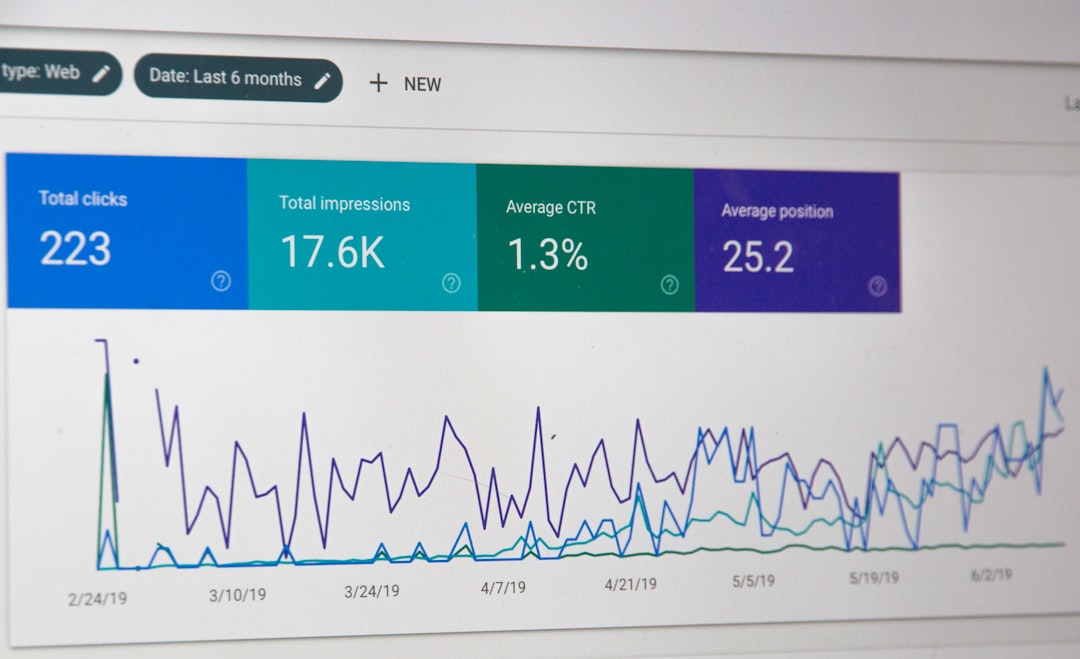
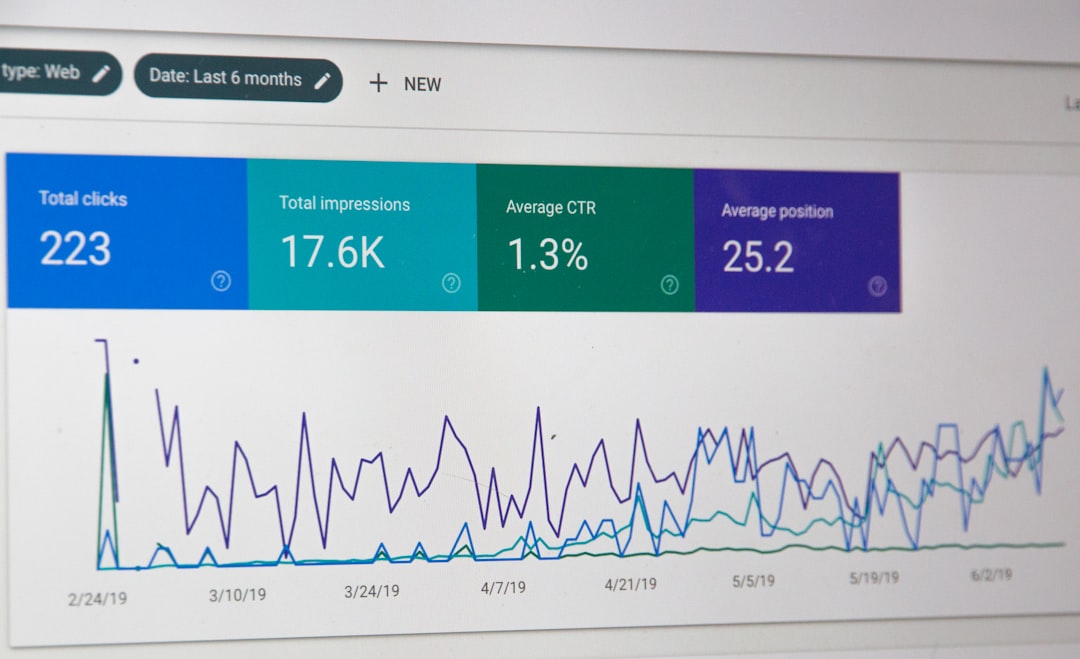
    Monitoring the performance of your affiliate marketing efforts is essential for optimizing your strategy. Leverage tools like Google Analytics to track click-through rates, conversions, and overall engagement with your affiliate links. By analyzing this data, you can refine your approach and focus on promoting high-converting products.

    Maximizing Earnings with Affiliate Marketing

    As a solo founder or blogger, affiliate marketing can be a lucrative revenue stream when executed thoughtfully. By consistently providing valuable content and strategically promoting relevant products, you can create a win-win scenario for both your audience and your bottom line. Start implementing these strategies today to monetize your WordPress blog effectively through affiliate marketing.

    Remember, building trust with your audience is key to successful affiliate marketing. Prioritize transparency and authenticity in your recommendations to foster long-term relationships with your readers.

    Ready to take your WordPress blog to the next level with affiliate marketing? Explore more actionable strategies and tips at Solomarketing.app.

    Photo by Blake Wisz on Unsplash

  • Utilizing Google Analytics to Track Blog Performance

    Utilizing Google Analytics to Track Blog Performance

    Welcome to the world of blogging as a solo founder! In this post, we will delve into a crucial aspect of enhancing your blog’s performance – utilizing Google Analytics. By harnessing the power of data, you can gain valuable insights into your audience, content performance, and much more. Let’s explore how to set up and interpret key metrics in Google Analytics to optimize your blog effectively.

    Understanding Google Analytics Basics

    If you’re new to Google Analytics, it’s a free tool provided by Google that helps you track and analyze website traffic. To get started, you need to set up an account and link your website to generate the necessary tracking code.

    Setting Up Google Analytics

    Once you have your account ready, follow these simple steps to set up Google Analytics for your WordPress blog:

    1. Create a Google Analytics account and obtain your tracking ID.

    2. Install a Google Analytics plugin on your WordPress site or manually add the tracking code to your website.

    3. Verify that Google Analytics is tracking your site correctly by visiting the Real-Time reports section.

    Interpreting Key Metrics

    Now that your Google Analytics is up and running, let’s dive into some key metrics that can help you understand your blog’s performance:

    1. Traffic Sources

    Identify where your traffic is coming from – whether it’s organic search, social media, referrals, or direct visits. This insight can guide your marketing strategies.

    2. Bounce Rate

    Monitor the percentage of visitors who navigate away from your site after viewing only one page. A high bounce rate may indicate issues with your content or website usability.

    3. Pageviews and Time on Page

    Track the number of views each page receives and how long visitors stay on each page. This data can help you identify your most popular content and optimize low-performing pages.

    Putting Insights into Action

    With a solid understanding of Google Analytics metrics, you can now make data-driven decisions to improve your blog’s performance. Whether it’s refining your content strategy, optimizing user experience, or targeting specific audience segments, Google Analytics empowers you to take your blog to the next level.

    Remember, data is only valuable when you act on it. Leverage the insights from Google Analytics to continuously refine and enhance your blog for your audience.

    For more in-depth tips and strategies on marketing your blog effectively as a solo founder, check out SoloMarketing.app. Happy blogging!

    Photo by Justin Morgan on Unsplash

  • Promoting Your Blog on Social Media

    Promoting Your Blog on Social Media

    Welcome to another insightful post for solo founders and bloggers looking to enhance their WordPress marketing strategies! In this guide, we’ll delve into the art of promoting your blog on social media. With the right tactics, you can effectively leverage various social platforms to drive traffic to your WordPress blog and increase your online presence.

    Understanding the Power of Social Media for Blog Promotion

    Social media has transformed the way content is shared and consumed online. Platforms like Facebook, Twitter, Instagram, LinkedIn, and Pinterest offer a vast audience that can potentially engage with your blog posts. To make the most of these platforms, it’s crucial to understand your target audience and tailor your promotion strategies accordingly.

    Choosing the Right Social Platforms

    Not all social media platforms are created equal. Each platform caters to a different demographic and content type. For instance, visually appealing content thrives on Instagram and Pinterest, while industry insights are better shared on LinkedIn. As a blogger, identify which platforms align best with your niche and audience to maximize your reach.

    Creating Engaging Social Media Content

    When promoting your blog on social media, it’s essential to create engaging and shareable content. Craft eye-catching visuals, write compelling captions, and use relevant hashtags to increase visibility. Incorporate snippets or teasers from your blog posts to pique the interest of your followers and entice them to click through to your WordPress site.

    Engaging with Your Social Media Audience

    Building a strong relationship with your social media audience is key to driving traffic to your blog. Respond to comments, messages, and mentions promptly. Encourage discussions, ask questions, and seek feedback to foster a sense of community around your blog. Engaging with your audience not only boosts visibility but also establishes credibility and trust.

    Effective Social Media Promotion Strategies

    Cross-Promotion Across Platforms

    Consider cross-promoting your blog posts across different social media platforms to reach a wider audience. Share snippets on Twitter with a link to the full post on your WordPress blog. Repurpose visuals from your blog on Instagram with a call-to-action to visit your site for more. By diversifying your promotion efforts, you can attract followers from various platforms to your blog.

    Utilizing Social Media Ads

    Social media advertising can be a powerful tool to boost your blog’s visibility. Platforms like Facebook and Instagram offer targeted advertising options that allow you to reach specific demographics based on interests, location, and behavior. Invest in promoting your top-performing posts or running campaigns to drive traffic directly to your WordPress blog.

    Collaborating with Influencers and Bloggers

    Partnering with influencers or bloggers in your niche can expand your reach and introduce your blog to a new audience. Identify influencers whose followers align with your target demographic and propose collaborations such as guest posting, shoutouts, or joint content creation. Leveraging the reach of influencers can significantly increase traffic to your WordPress blog.

    Measuring and Optimizing Your Social Media Promotion

    Tracking Performance Metrics

    Monitor key performance metrics to gauge the effectiveness of your social media promotion efforts. Track metrics such as clicks, engagement rates, conversion rates, and referral traffic to your blog. Use tools like Google Analytics to gain insights into visitor behavior and adjust your strategies based on data-driven decisions.

    Optimizing Your Social Media Strategy

    Regularly analyze the performance of your social media promotion strategies and optimize them for better results. Experiment with different types of content, posting schedules, and engagement tactics to see what resonates best with your audience. Continuously refine your approach to keep your blog promotion efforts fresh and effective.

    By implementing these effective tactics for promoting your blog on social media, you can drive significant traffic to your WordPress site and expand your online presence. Remember, consistency and authenticity are key to building a loyal audience that engages with your content. Start implementing these strategies today and watch your blog grow!

    For more valuable insights and tips on solo marketing strategies, visit SoloMarketing.app.

    Photo by dole777 on Unsplash